
- Forum
- Ask for System Help / Share Solutions
- Yacht Systems
- Autopilots
- B&G Autopilot Hydraulic Ram Electric Motor Brushes
B&G Autopilot Hydraulic Ram Electric Motor Brushes
- hayden
-
 Topic Author
- Offline
- Moderator
-

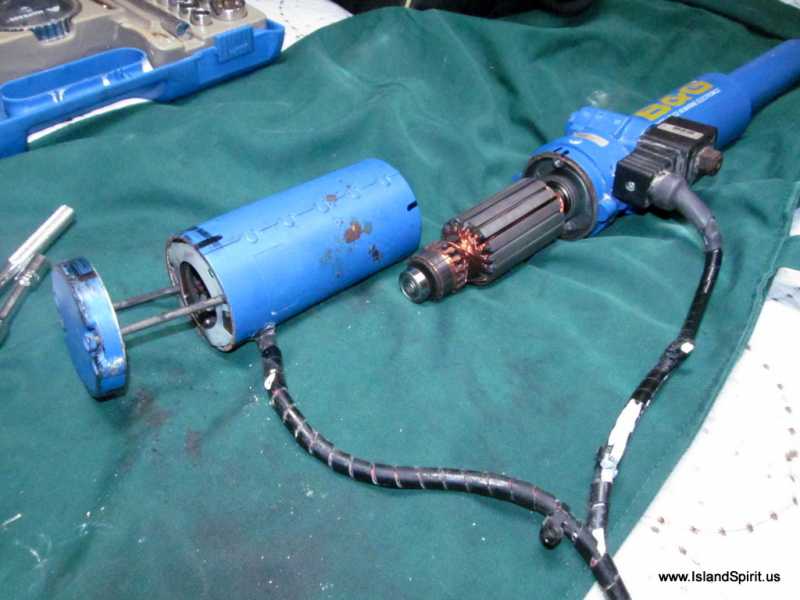
After 12 years of use and about 18,000 nm, our B&G Hydraulic Ram motor presented the B&G error message RDR DRV. Rudder Drive. This error message means that the ACP B&G computer tried to move the autopilot ram and the computer received no feedback that the ram moved, so it presents this RDR DRV error. This error can be caused by two items.
1. The Rudder Reference sending unit, the RRU, it failed and is not sending data back.
2. The electric motor or hydraulic ram is not working, most likely this issue.
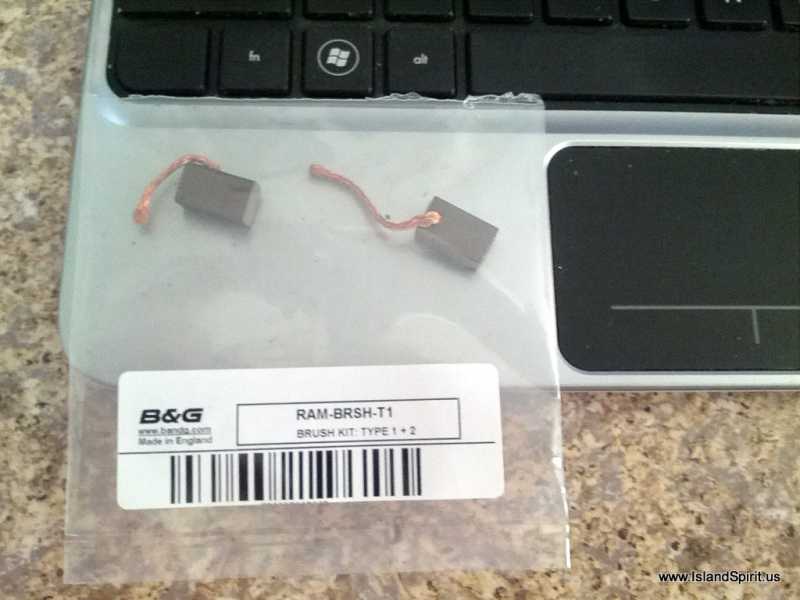
Since the B&G hydraulic ram is driven by an electric motor, it is most likely the brushes in theis electric motor. You can buy new brushes and or a new electric motor to repair this ram. Here are photos of taking apart the B&G Autopilot Ram.
Note:
When our ram stopped working and presented this issue, we tapped with a boathook handle onto the motor and the motor and drive started to work again. This lead me to think of the electrical brushes. One solution is to take apart the motor and vacuum out the carbon from the brushes. Another solution is to replace the brushes and another solution is to replace the electric motor. These rams are so basic and so simple, it seemed like a good idea to repair it.
Lucky for us, our good friend and IP 380 CAVU owners Ron and Mary Ann gave us their OLD B&G autopilot ram when they replaced theirs with a Raymarine. THANK YOU RON and MARY ANN. So for this repair, I first took apart the spare to study the build and the brushes. Then when I saw the assemble and vacuumed out the motor, I noticed this ram had good brushes. So I reassembled the spare and installed it. I then took apart the old ram and cleaned out the carbon dust and noticed that these brushes were very worn. So, I will be ordering new brushes from Myles Electronics here:
www.myleselectronics.com/
So, if your B&G autopilot ram presents the error message RDR DRV....do not toss away your ram or send it out for repairs, simply replace the brushes on the electrical motor and clean out the carbon dust. This is a simple fix.
Here are some photos of the B&G Autopilot Ram rebuild.
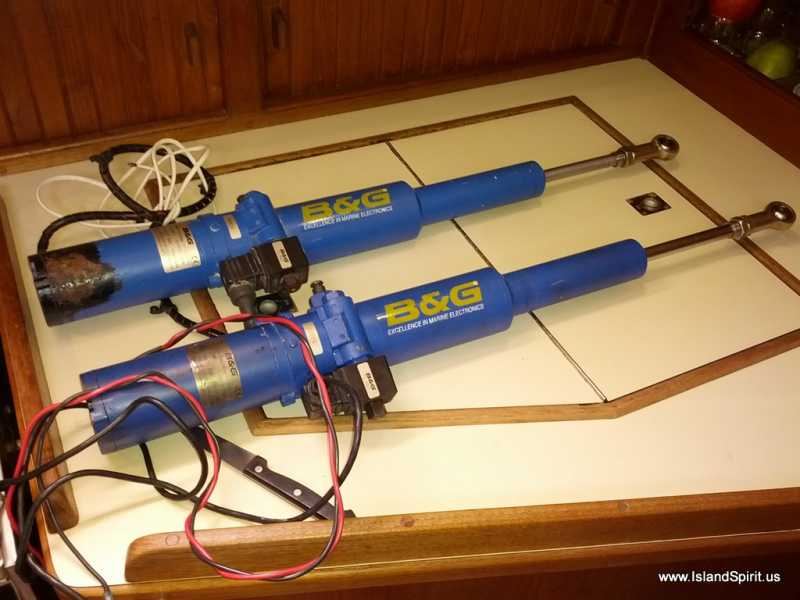
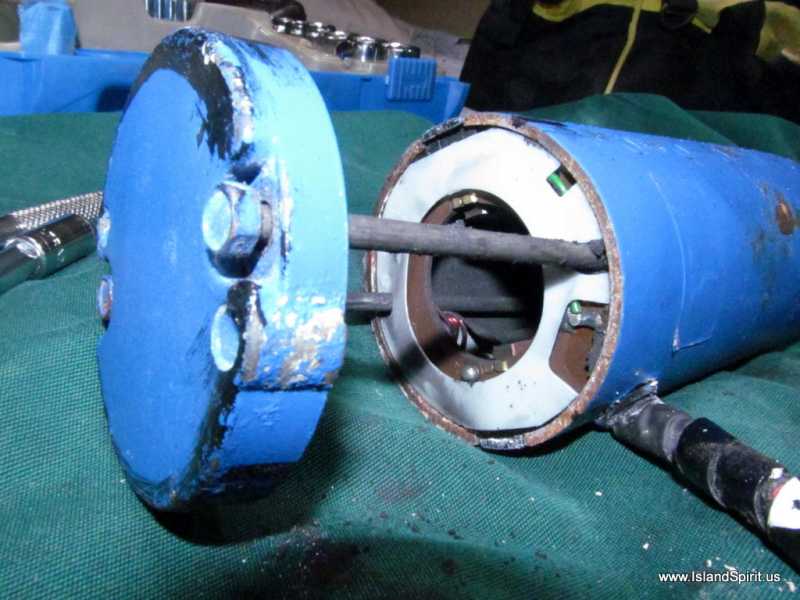
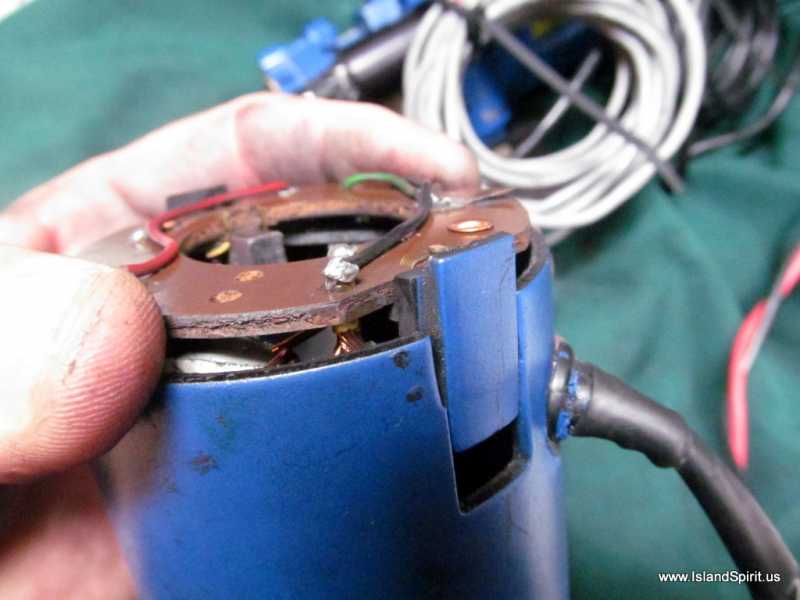
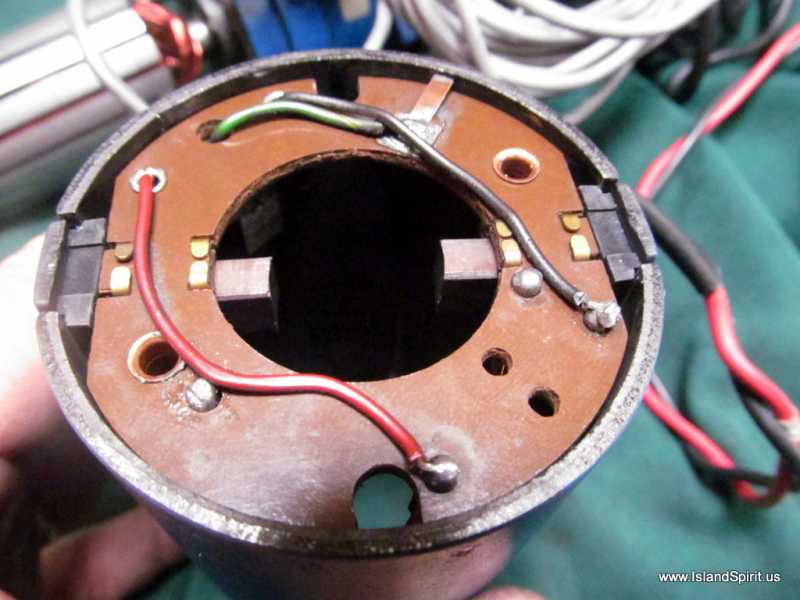
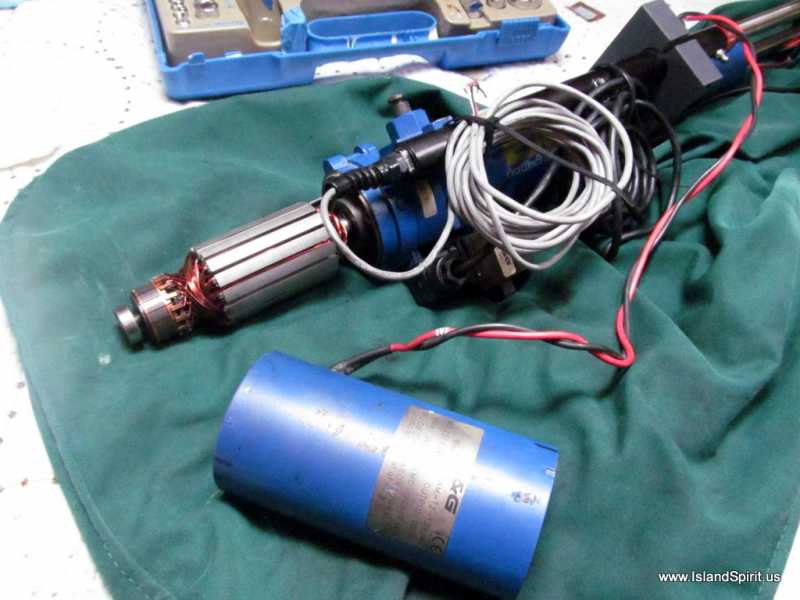
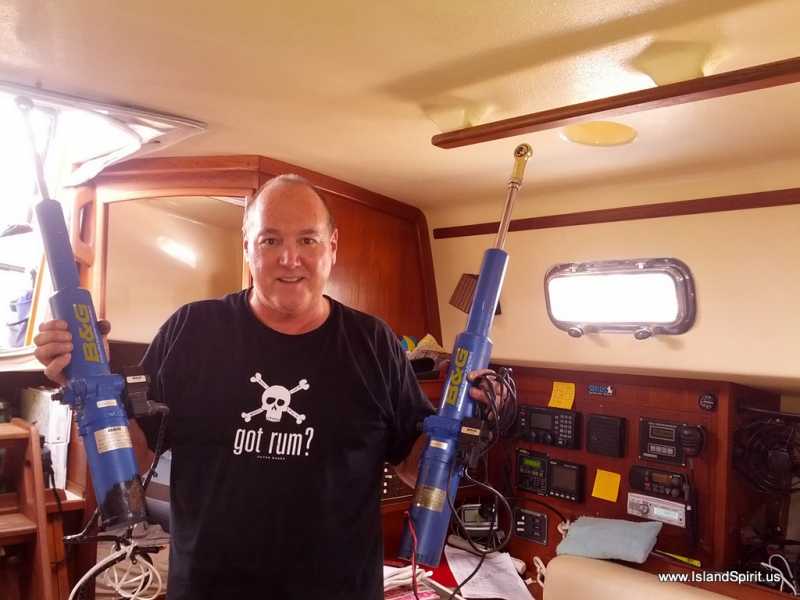
NOW FOR SOME TIPS:
1. put down a cloth to work on because the carbon brush dust will go everywhere.
2. mark the motor casing with a sharpie to help realign it.
3. Unbolt the cover, remove....BUT....during removal, PAY ATTENTION TO THE PLASTIC COVER over the brushes, this needs to go back in the same way.
4. Notice the small flex washer in the cover over the end bearing.
5. These are the only two loose items.
6. Slide off the motor cover, the brushes come off the motor with the cover.
7. Vacuum out the brush dust. At this point if the brushes look OK, rebuilt.
8. If the brushes look worn, replace them.
9. Rebuilding is a trick due to the magnetic pull of the motor, Aligning the long screws is the trick.
10. The trick is to get the brushes back onto the end of the motor by pushing in the brush springs and replacing the cover. Now the real trick is getting the long screws into the holes. To do this, slide the cover up about 1/4 to 3/8" just enough to see the holes at the other end of the cover. Use a flashlight to see inside the gap. If you pull the cover up too far, the brushes will spring off the motor motor and you will need to start over.
Getting the long screws back into the base of the motor was the hardest part. Otherwise, this was very easy to fix.
OK....now you know what RDR DRV error on a B&G ram autoplilot is caused by. A bad motor, or most likely worn brushes. Replace the brushes and you are good to go.
Hayden working our way north (Charleston SC) from the Bahamas and keeping the boat running
Here are the B&G BRUSH KITS for the B&G Autopilot RAM
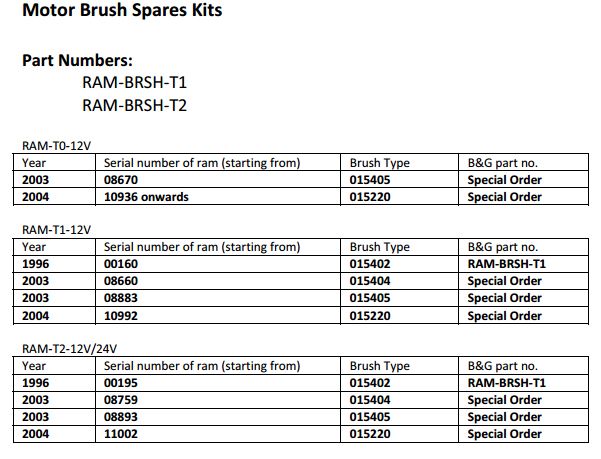
Here is the B&G PDF on all spar parts for B&G
Hayden Cochran
IP35-165 Island Spirit
IslandSpirit35.blogspot.com
Rock Hall, MD
Please Log in or Create an account to join the conversation.
- Emergpa1
-

- Offline
- Elite Member
-

- Posts: 176
- Thank you received: 8
Please Log in or Create an account to join the conversation.
- hayden
-
Topic Author
- Offline
- Moderator
-
That was funny. It was left on the counter when I took the photo.
Today we get to test it out. Charleston SC to Cape Lookout NC.
Hayden
Hayden Cochran
IP35-165 Island Spirit
IslandSpirit35.blogspot.com
Rock Hall, MD
Please Log in or Create an account to join the conversation.
- hayden
-
Topic Author
- Offline
- Moderator
-
The price for a new motor for the B&G Ram is $600 from Myles Electronics. That seems expensive to me plus the motor seems fine. It has just been intermittent and I am looking into rebuilding my spare pilot.
NOTE:
I found THIS GREAT ARTICLE on the Manta site:
mantaowners.org/wiki/manta-articles/how-...ydraulic-ram-repair/
Here is a photo of the brush kit for $50
Hayden Cochran
IP35-165 Island Spirit
IslandSpirit35.blogspot.com
Rock Hall, MD
Please Log in or Create an account to join the conversation.
- Forum
- Ask for System Help / Share Solutions
- Yacht Systems
- Autopilots
- B&G Autopilot Hydraulic Ram Electric Motor Brushes
We have 3043 guests and no members online
Disclaimer
Island Packet and Island Packet Yachts are registered trademarks of IPY (Island Packet Yachts, Inc.). IPYOA and The Island Packet Yacht Owners Association, have no affiliation with IPY, the Island Packet Yacht Company. Throughout our IPYOA Facebook Group and on this IPYOA.com website the terms Island Packet and Island Packet Yachts are used for identification purposes only. This use is FAIR USE and NOMINATIVE. We are NOT a yacht manufacturer we are a yacht owners group.
Sincerely,
The International IPYOA administration team.