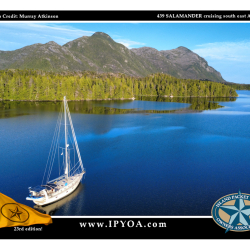
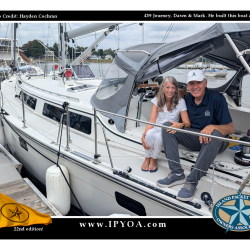
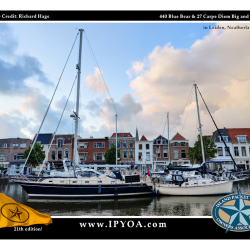
Banners for IP Owners' Business and Non IP Dealers

Banner
Free banner ads provided by Hayden
....You are not logged in
PDF Print E-mail

Basic Help Topics (more will be added as needed)

  1. HELP, I CANNOT LOGIN
    Your username is NOT your email address, it is whatever you created when your made your account. Your password can be recovered by asking the system to re-send it to your email address. Please see the login page to request your password or to request your username. It will be sent to your email address.
    If all else fails, feel free to use the contacts page to email our web admins and we can reset it as well. Sorry for the error.
    1. Forgot your Password?
    2. Forgot your Username?

  2. How to Register:
    To Add and Share content with everyone, you will need to create an account. To create an account, please click the REGISTER link on the home page, enter your name, username, email and a password. The system will then send an email to your address with a link to verify your address. Check your spam folder if this email is not in your inbox with minutes, it is sent instantly. Once your email address is authenticated, you may then login.
    1. Here is the REGISTER link as well 
    2. If you need help, please use the contact us page and simply ask

  3. How to Edit My Account:
    To EDIT your account, to change your name, change your email address, or change your password, please use this link.
    1. EDIT ME ACCOUNT

  4. My Google Map Does NOT display:
    This happens because your lat/lon is not is decimal format for Google to read. You need to know the latitude and longitude in decimal format.  For Example: Rock Hall MD is 39.147538 and -76.246115, notice west longitude is negative. To make this easier, I have integrated a clickable map with the lat / lon fields. Please see...
    1. View the demo video here
    2. Or...read a help page on the steps here.
    3. Share your Map Pins Here enjoy....adding a pin should take 2 to 5 minutes.

  5. How do I add my AVATAR in the forum?
    1. In the forum, click, MY PROFILE
    2. Click MY AVATAR on the left menu
    3. You may pick a pre-set avatar, or upload your own picture
      1. Note #1: Uploading your own picture needs to be a SQUARE PHOTO
      2. Note #2: Picture needs to be a JPG
      3. Note #3: make it small,about 50 x 50 or 100 x 100 pixels
    4. Browse and Upload your picture, and save.
    5. Thank's it.

  6. How to EDIT my IPMAIL ACCOUNT to add your Full Name
    1. Read this help page

  7. How to EDIT MY AD
    1. Log in,then click ADs
    2. On the left hand side, click MY ADS
    3. All your ads will display in the center pane
    4. Under each Ad title find UPDATE or DELETE
    5. Click UPDATE, and you can edit your ad.
    6. Click DELETE and you can delete your ad.

  8. Can I EDIT a WEB LINK?
    1. No. Sorry, at this point that application is a one way street, add only.
    2. Eventually I will design an edit for the links
    3. For now, simply share links, and we will update this in the future.


  9. Can I EDIT a DOCUMENT I submitted?
    1. At this point NO.
    2. To make a revision, please upload a NEW doc with a new title like "My Doc2"

  10. How do I post to the FORUM?
    1. Login in
    2. Click FORUM
    3. Browse a forum, like CRUISING PLANS NORTHEAST, read other posts to see what is there.
    4. Click NEW THREAD to start your own topic in this forum area (threads are topics)
      1. Add your subject, topic thread, or question
      2. Write your message
      3. Click submit
        1. That's it...

  11. More to Follow as needed:
    Enjoy the sharing and the new IPYOA site...


Comments (4)Add Comment
Claudia Dengler
...
written by Claudia Dengler, July 16, 2009
Is there any way to edit a document that I submitted?
neil scott
...
written by neil scott, December 05, 2009
Hi,

I must be missing something, but I am unable to work out how to post a question to the forum. Please explain how to do this.

thanks

neil
Hayden
...
written by Hayden, December 06, 2009
Forum questions or posting a new forum thread requires you to sign in. Once signed in, you will see a button called NEW THREAD, click that, and post your question or share your story. I will add to this help file for more information.
Hayden
Claudia Dengler
...
written by Claudia Dengler, February 17, 2010
The photo of our boat Tilikum III is off center - off screen to the right...and I have tried to reposition to no avail. Any ideas how to fix?

Write comment
You must be logged in to post a comment. Please register if you do not have an account yet.

busy
 

IP Dealers' Banners

Banner
Free banner ads provided by Hayden
RocketTheme Joomla Templates